A project management tool for the AI era. Turns scattered work into projects you can control.
For companies that run many projects at once. Plankwork sits on top of the tools you already use, and when you ask, your assistant carries the work between them. Every change it makes here is on record, and without an assistant everything works by hand.
14 days · no card · cancel any time
- 1Plankwork holds what has to be done.
- 2When you ask, your AI turns it into work in your other systems.
- 3What happened comes back to Plankwork.
- Keep Acme: portal v2 live by 13 November: SSO login fix, Jira · PROJ-482, Due tomorrow; Payment migration, GitLab · !217, Merged; Go-live plan, Google Docs, Shared.
- Hire two support engineers by January: Job description, Word, Approved; Two openings, HR system, Open; Onboarding checklist, Jira · HR-31, 2 days late.
- Renew Acme for 2027 by 15 December: Renewal offer, CRM · Acme, With customer; Milestone 3 invoice, Accounting / ERP, Paid; Account team briefing, Chat · #acme, Posted.
From the company's promises to one customer's request.
Know where every project stands and when it will end. Your people update their own work, and the plan, people's time and the customer's view follow from it. Nobody chases a status.
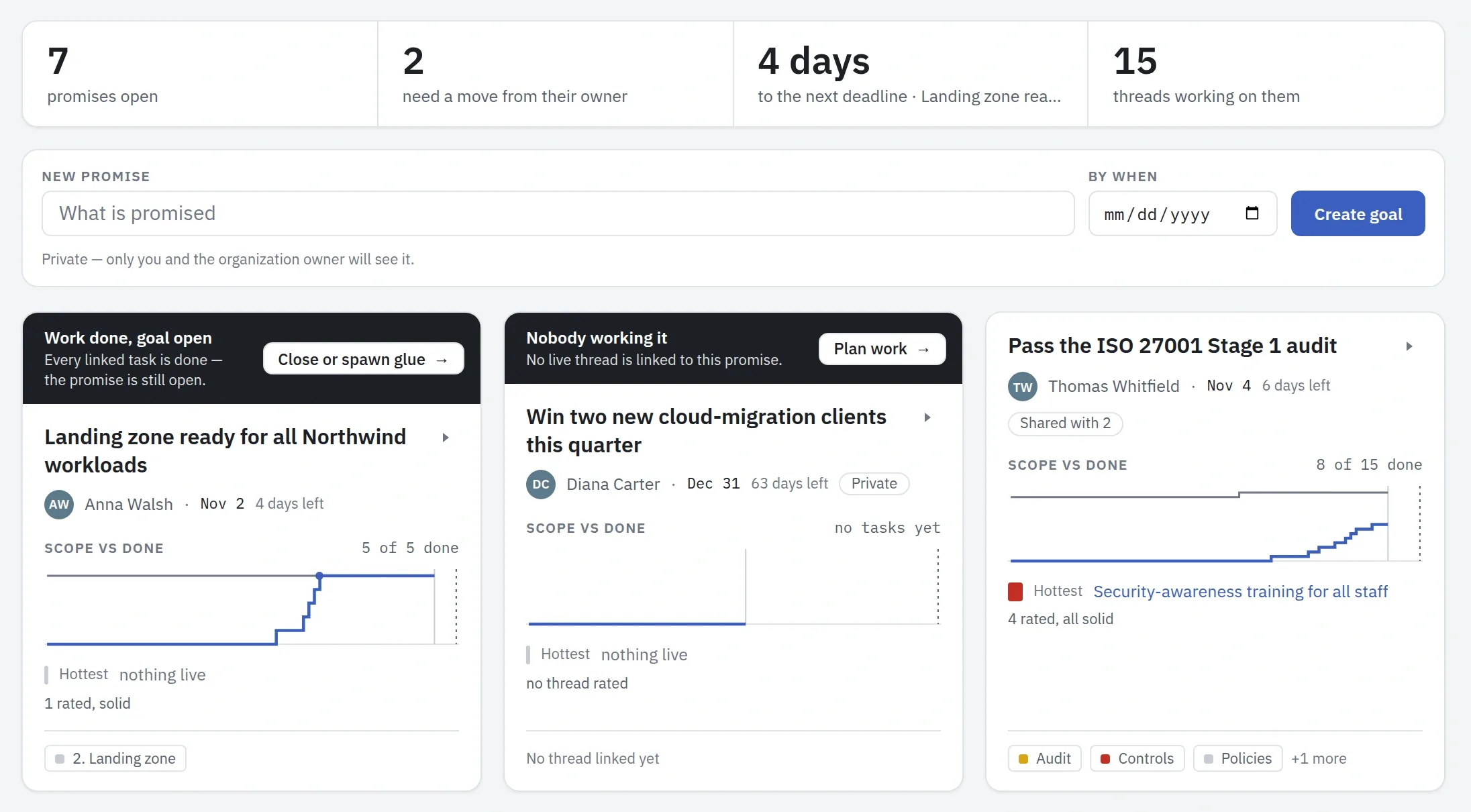
Goals: what the company has promised, and by when. Each promise shows its owner and the work done against its scope, with a warning when it needs a move from its owner.
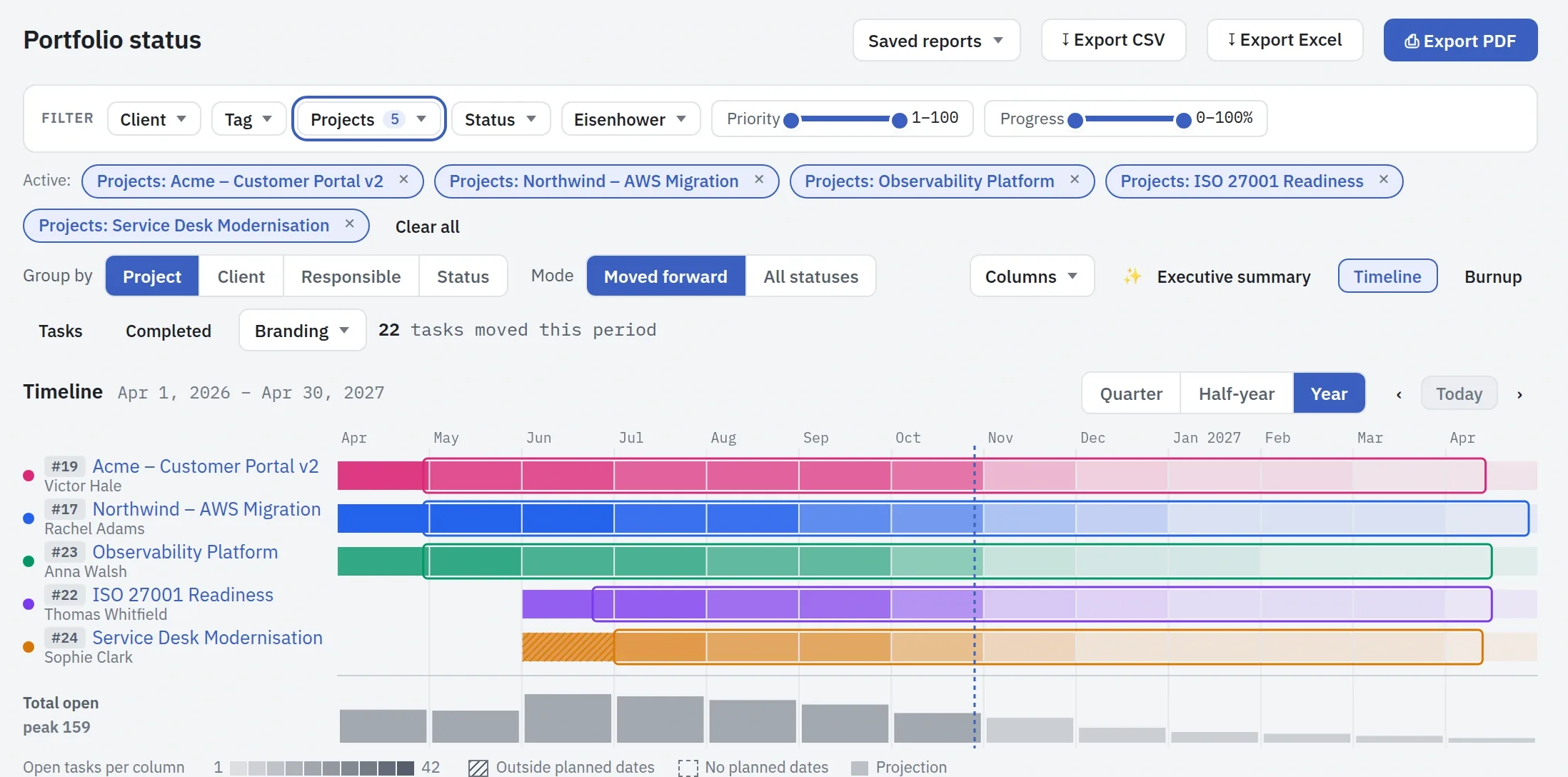
Portfolio status: the projects you choose, on one timeline. Below them, how many tasks are still open in each month.
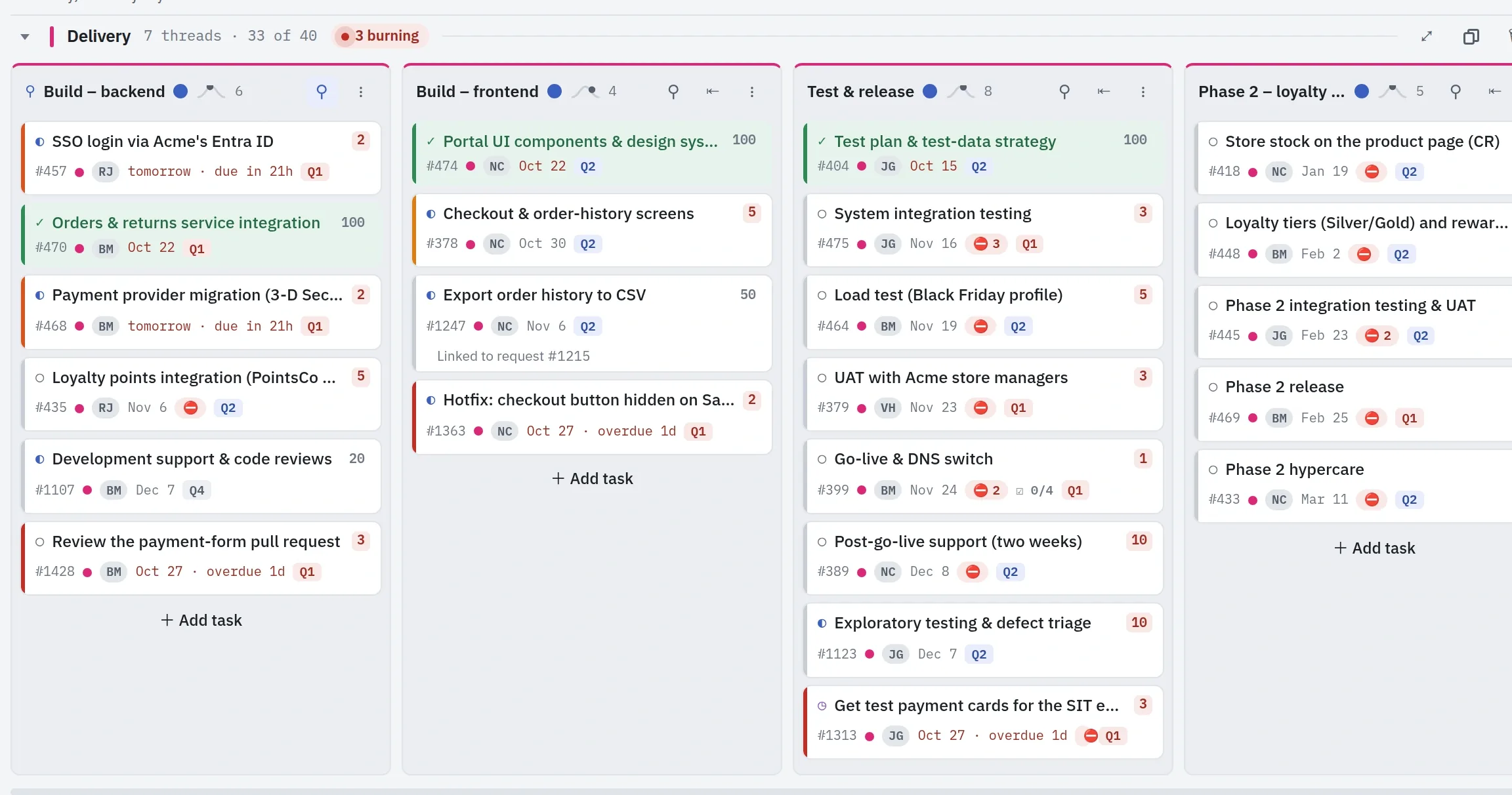
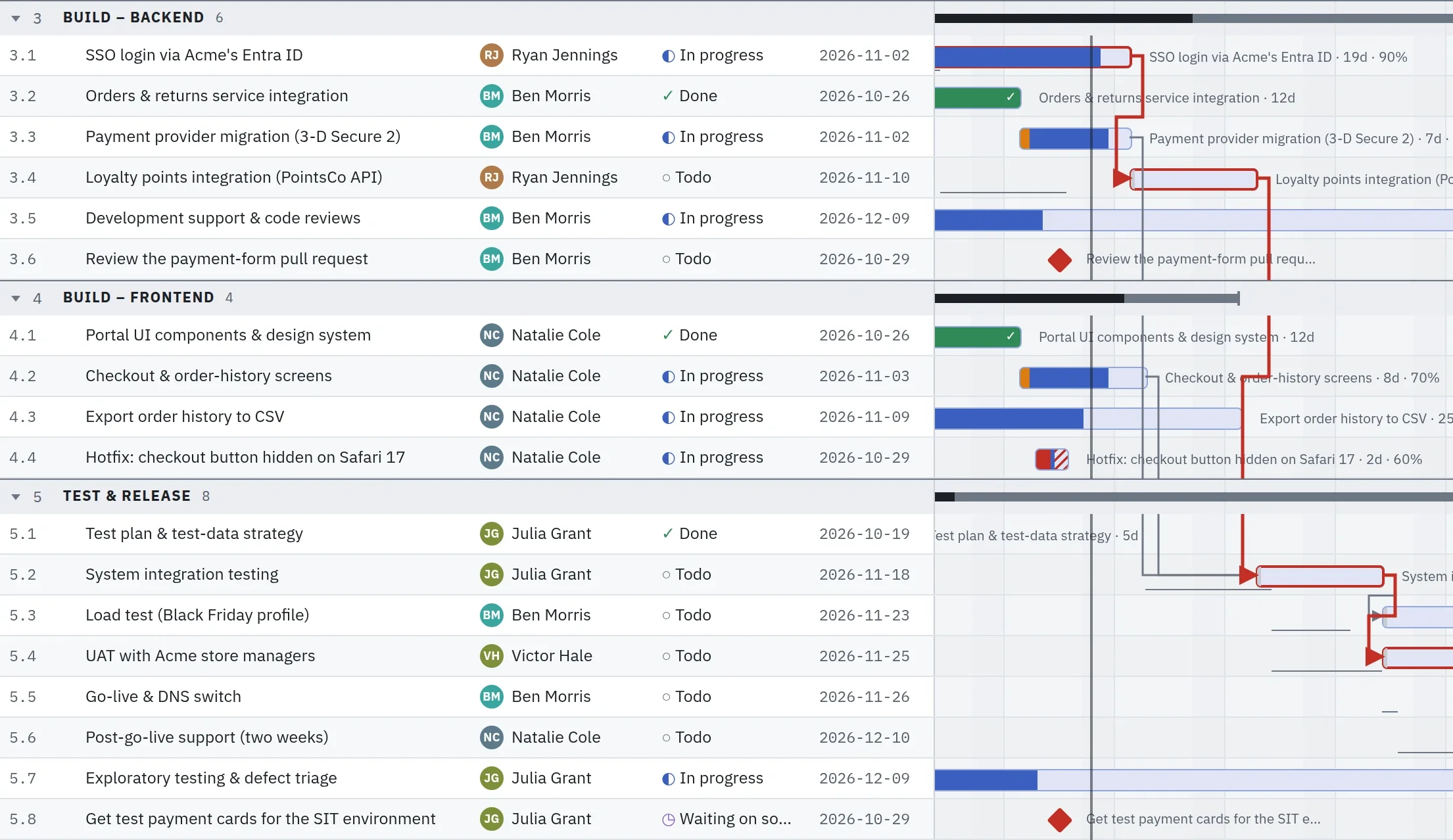
A project's board: every task with its owner and date. A task turns warmer as its date comes closer, so nobody has to chase it.
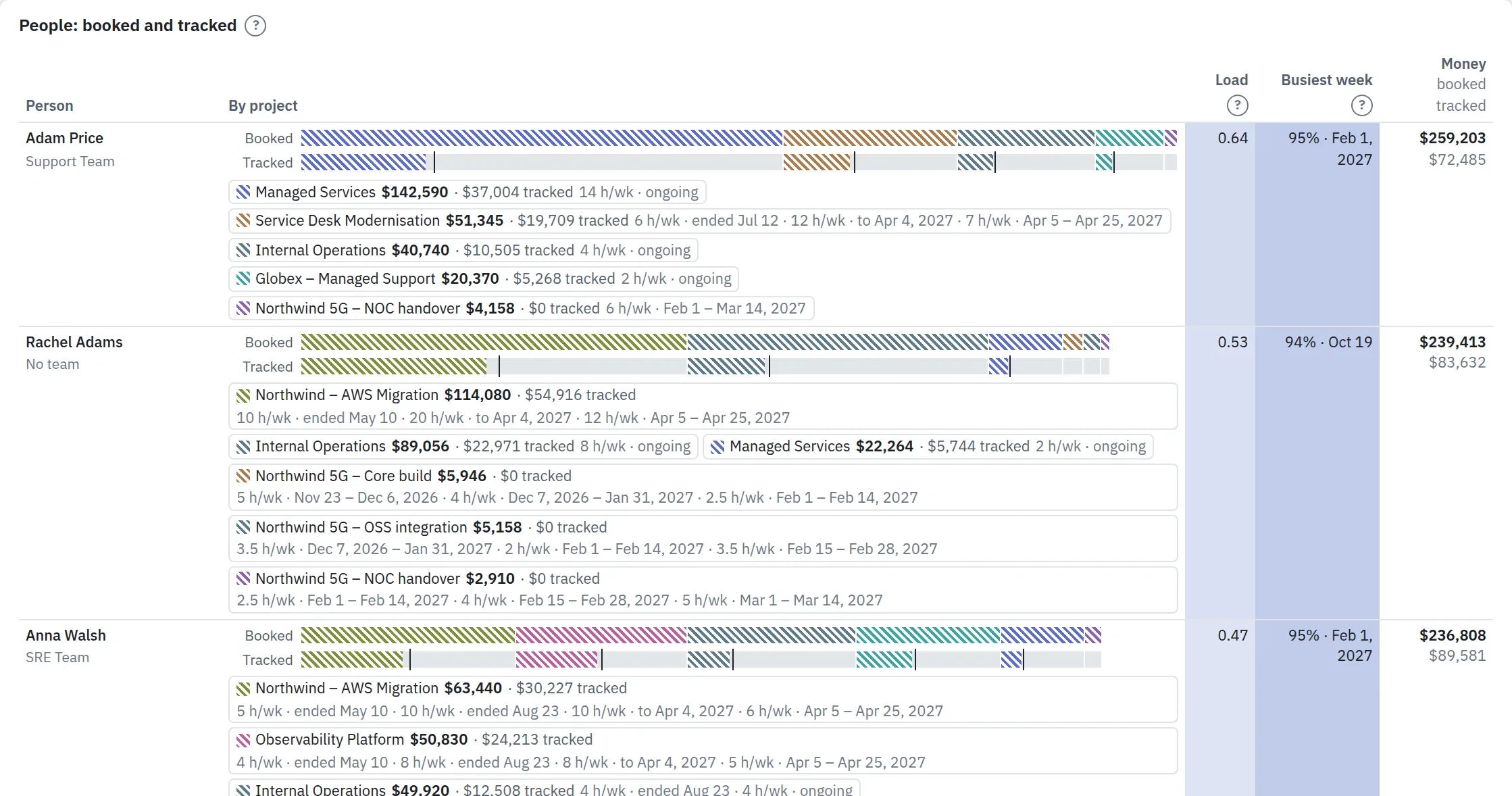
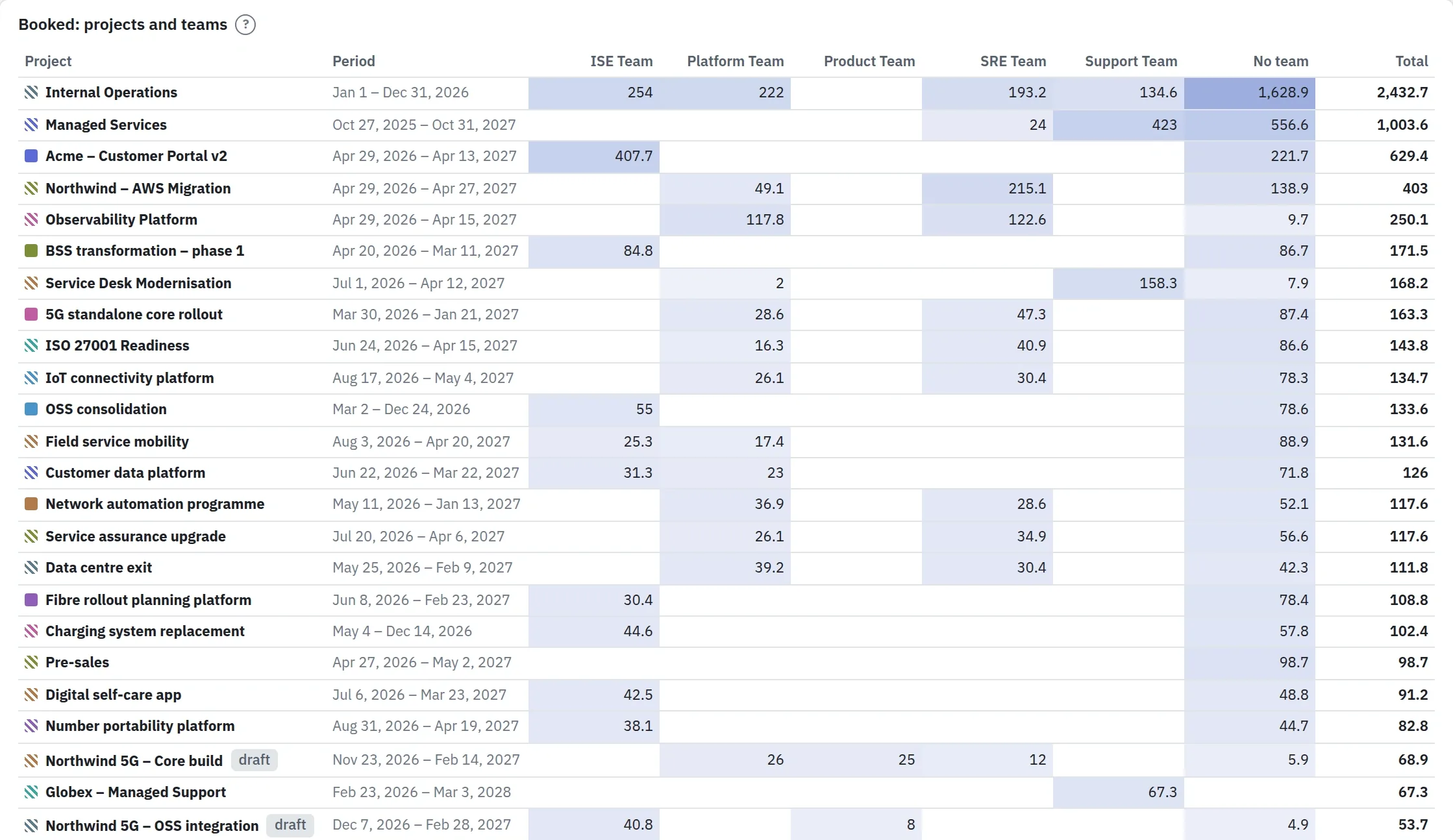
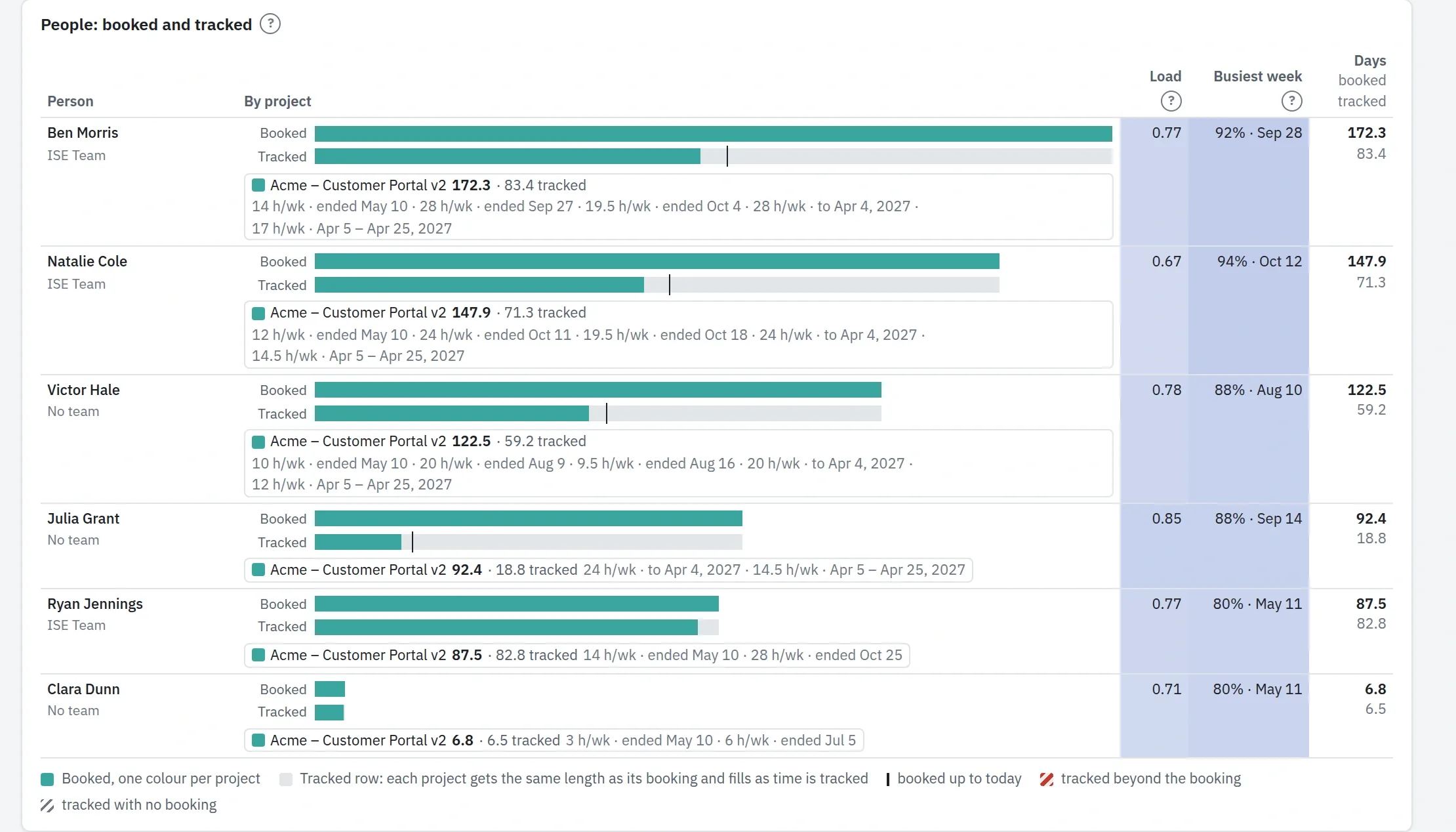
Breakdown: what each person is booked for on each project, and the time they have tracked so far.
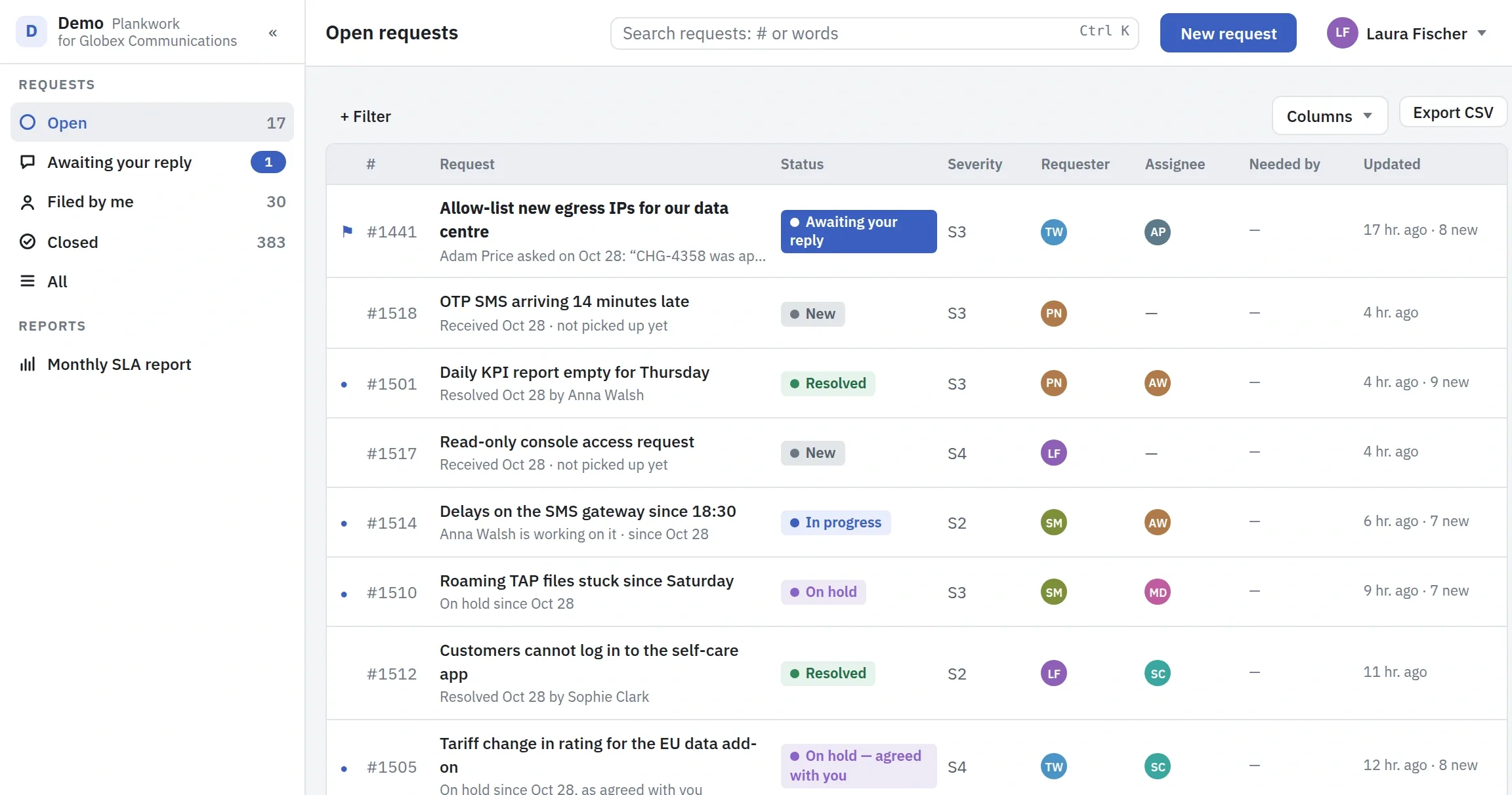
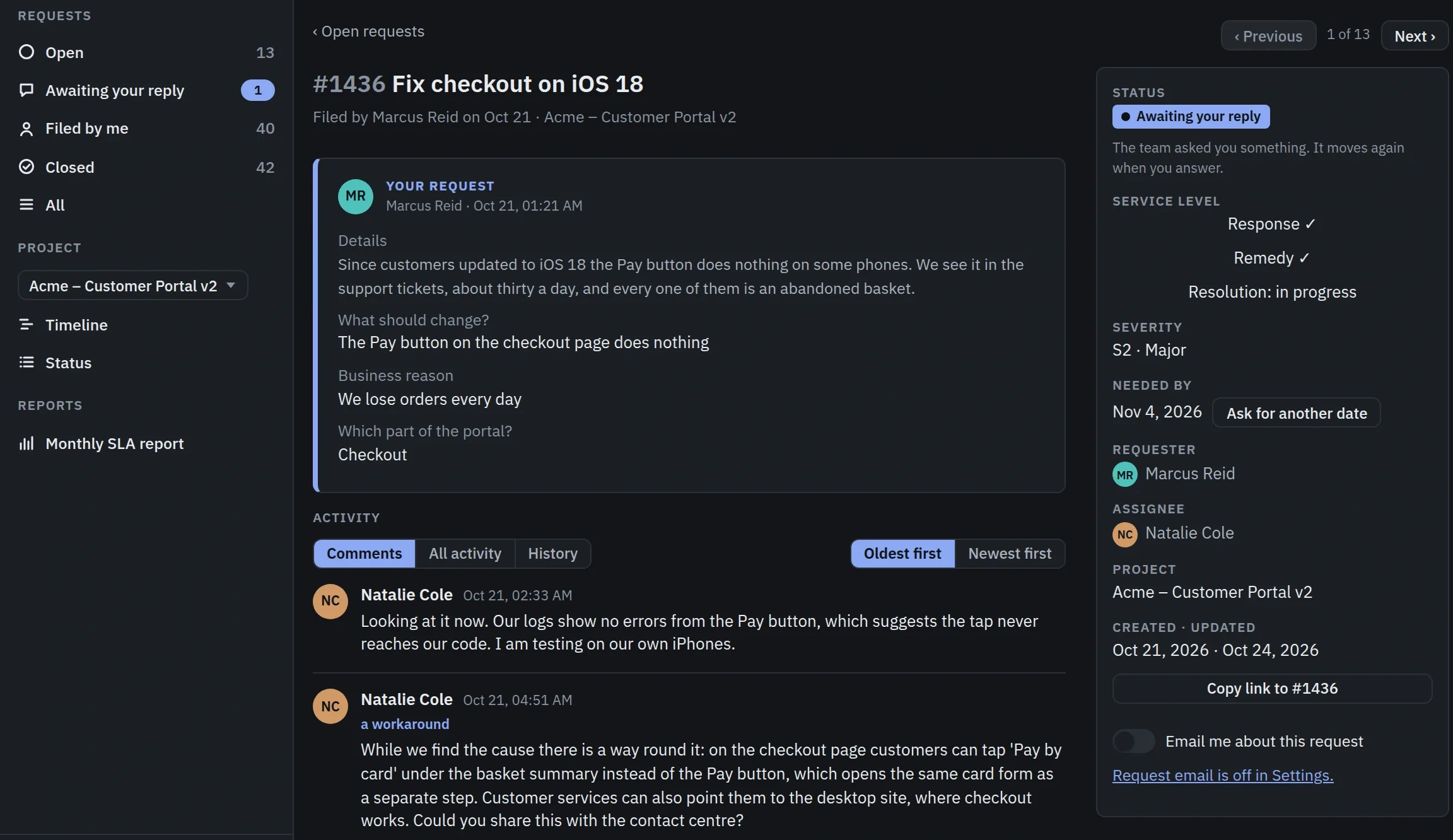
Your customer's own portal: their open requests, each with its status and who is working on it.
When it will end, and what could stop it.
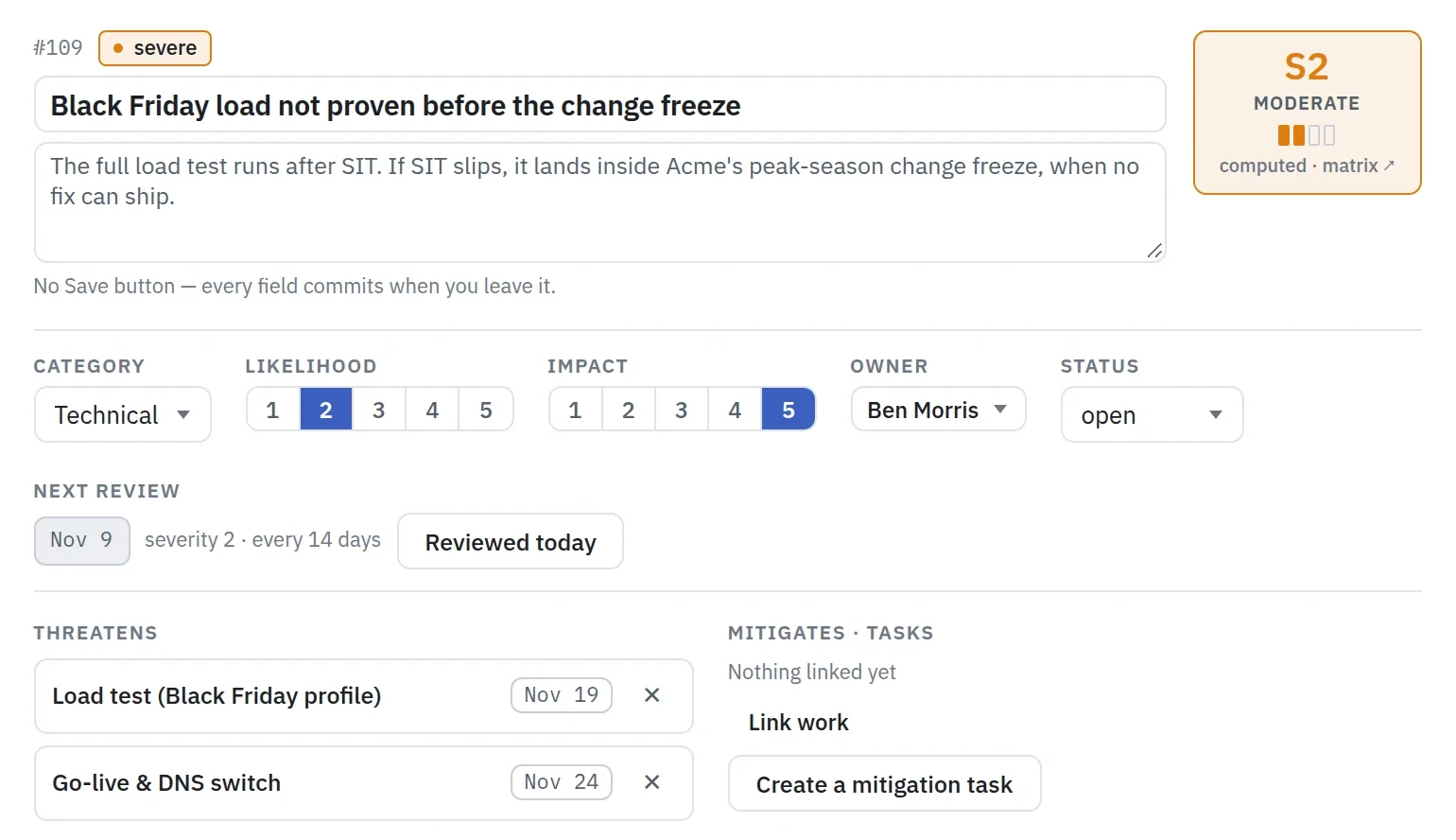
Every project has a board where people update their own work. The status and the plan follow from it: phases, owners and dependencies, the critical path in red, and the forecast end. Beside the plan, the risks, each with an owner, a review date and the tasks it could delay.
Reports nobody has to put together.
Every report is built from the work people already update, so it is current the moment you open it. One project or all of them, for any period, with the filters you use every week saved.
- Status and progress of each project, and of all of them together
- Time by project, client, person, group or tag
- Risks: a matrix for each project, and one for the portfolio
- Bookings in days or in money, in the Breakdown
- SLA results for the Service Desk, and a monthly report for your customer
- PDF, Excel or CSV with your branding, or by email on a schedule
Who works on what, weeks ahead.
Book people on projects weeks and months ahead, for each team and each week, with leave and public holidays taken off. Then compare: the Breakdown shows what is booked on every project, in days or in money, next to the time really tracked.
Support requests, next to the project they belong to.
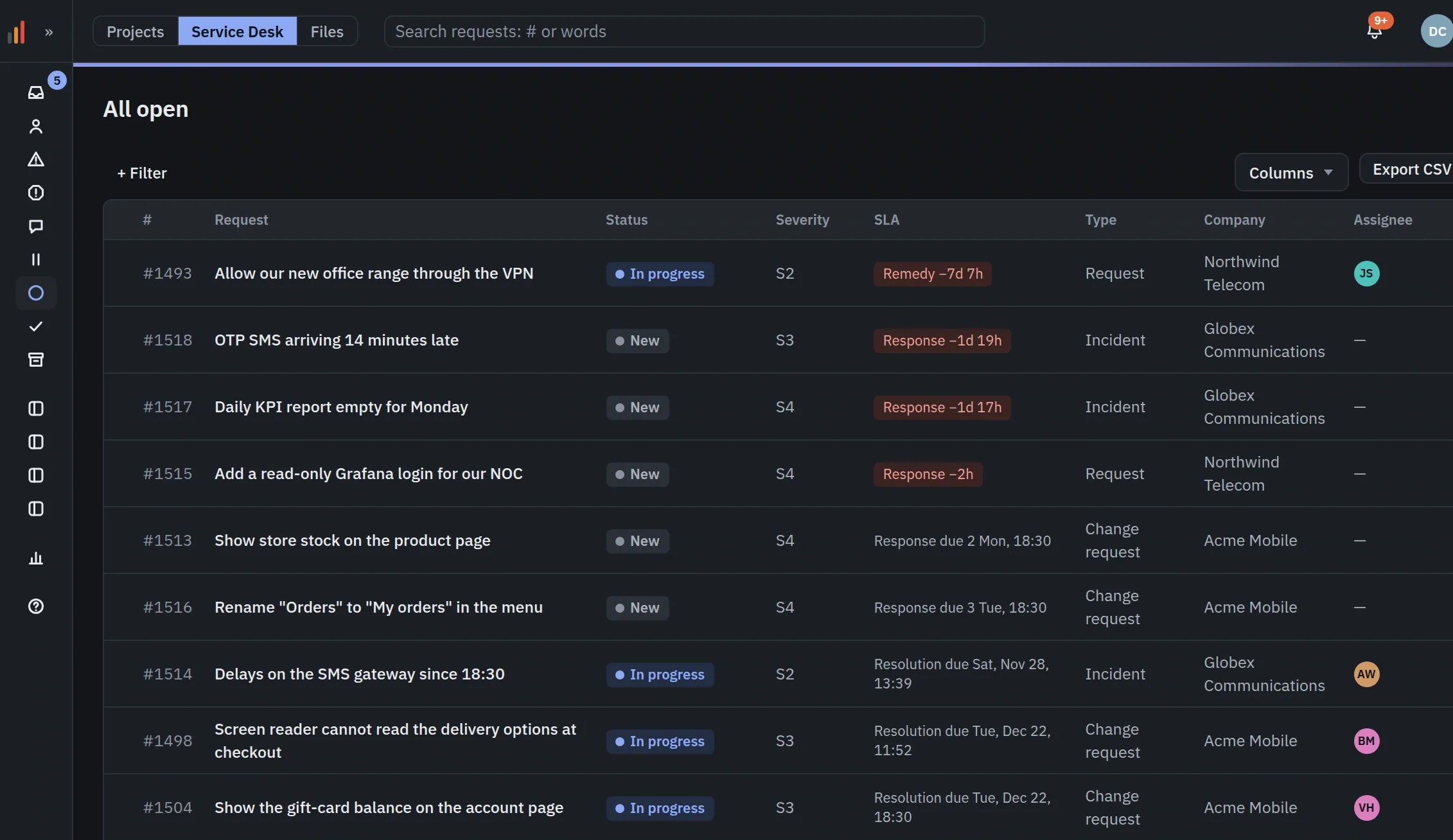
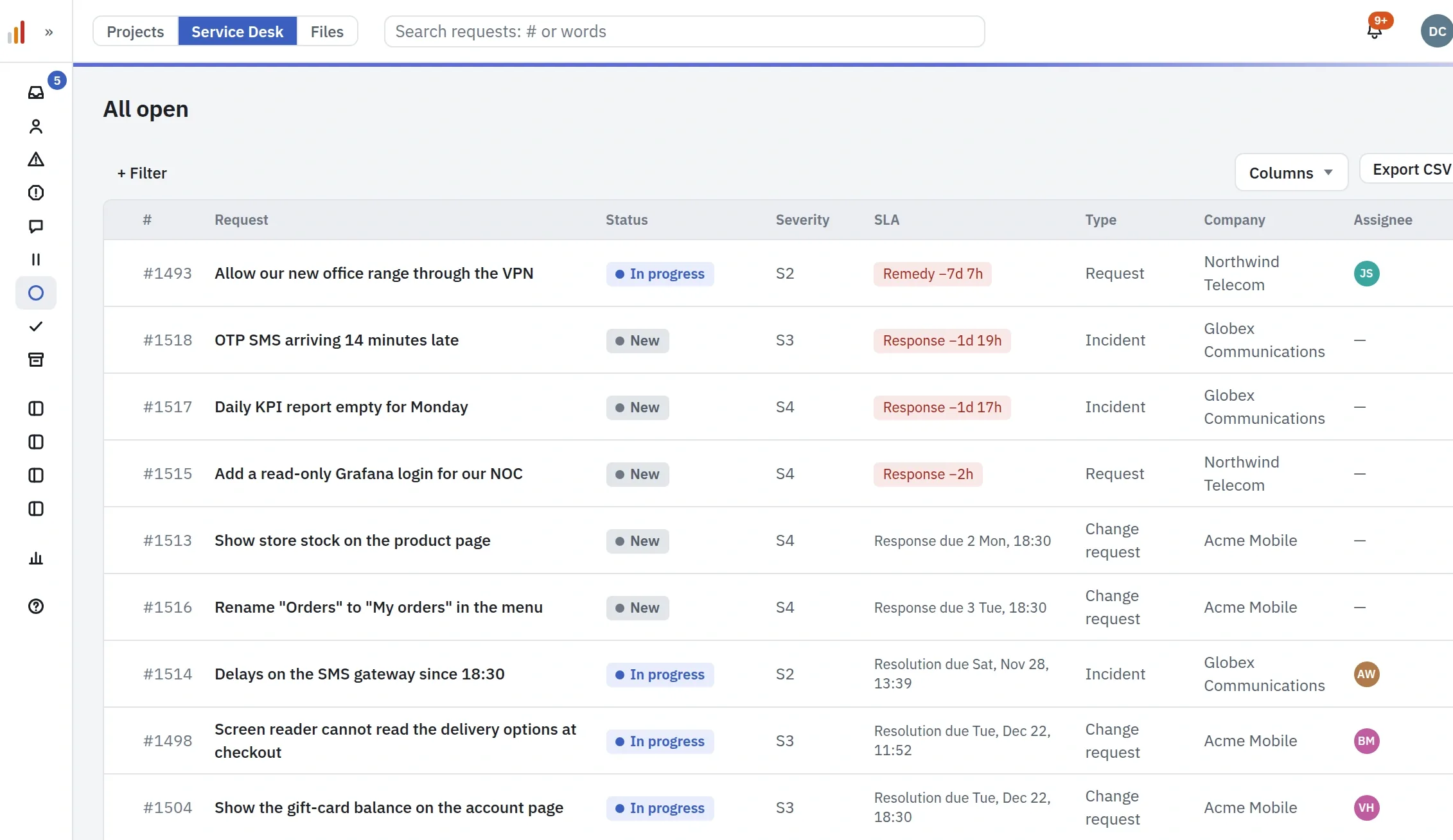
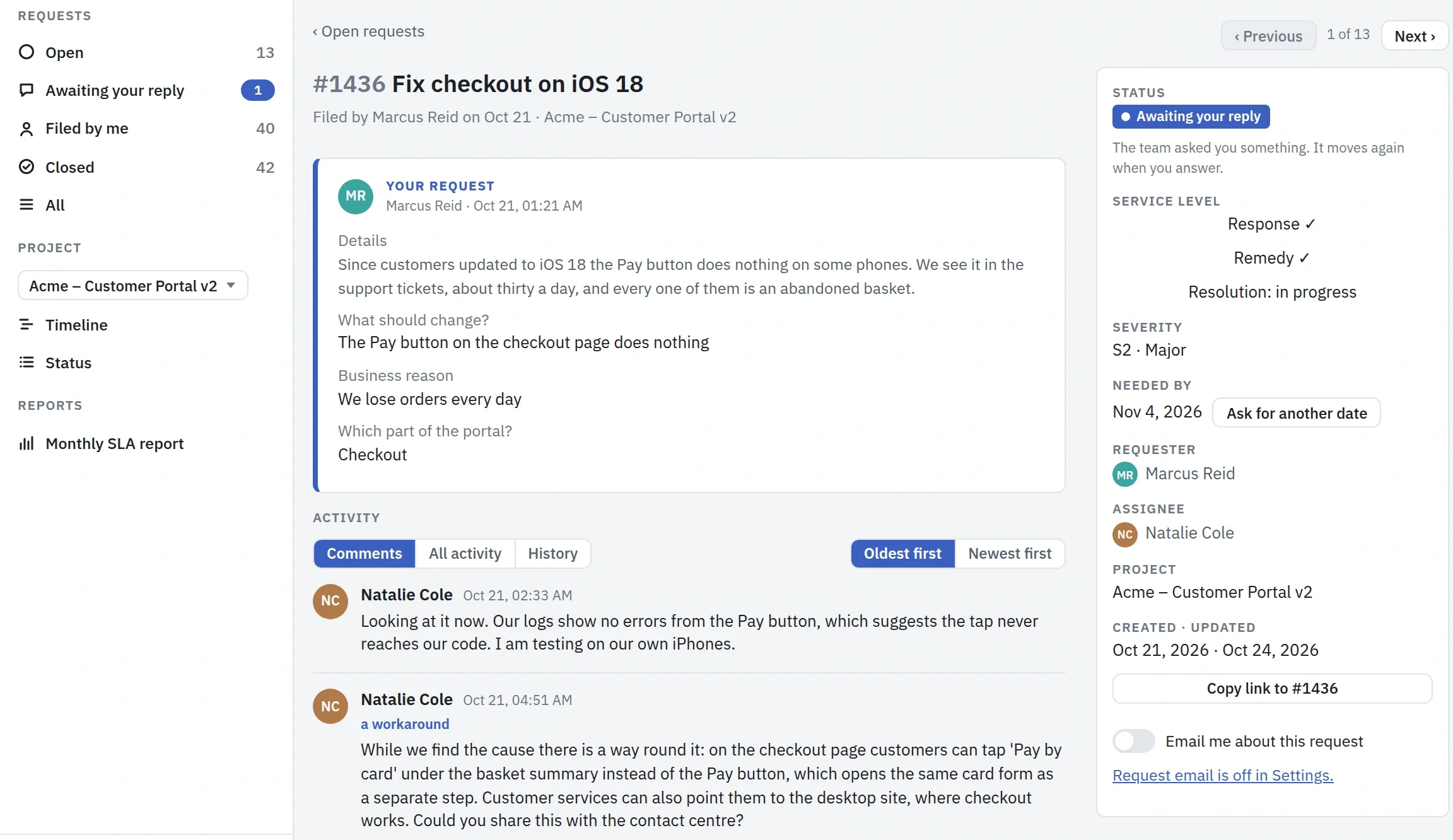
Your customer files a request in the same portal where they follow their project, and sees each step, with an email at every one. Your team works one queue with the severity, the state and the clocks of each SLA plan, measured on your own working calendars, and sees what is at risk before it is missed.
Run it from the AI assistant you already use.
Plankwork speaks MCP, so any assistant that supports it can read your boards, ask what's burning, reshuffle the work, or turn an old Excel plan into a real one. It acts as you, within your permissions, and every change is recorded as made by an assistant. Chat inside Plankwork runs on your own key, with no markup.
Review the tasks in Acme – Customer Portal v2 and tell me which could move to Phase 3. Be brief: I need 5 to 8 tasks that shorten the critical path the most, each with a one-sentence rationale.
Only three tasks are worth moving to Phase 3. The rest of the open work is either done already, needed for the Black Friday go-live, or ongoing work that runs alongside everything else, so I haven't padded the list to reach five.
Worth moving to Phase 3
- Loyalty points integration (PointsCo API) #435: The only SIT blocker that depends on the late SSO work. Moving it lets SIT start around 2 November and brings go-live back from 24 November to about 17 November, a week of margin before Black Friday.
- Loyalty tiers and rewards catalogue #448: At 56 days the longest task in Phase 2, and it depends on #435; moving the two together pulls the Phase 2 release forward by about 14 days.
- Export order history to CSV #1247: Not on the critical path itself, but it takes Natalie's time while she owns the checkout screens and the Safari hotfix that SIT is waiting on.
Not worth moving
- SSO login via Entra ID: It is 90% done, and once #435 moves it is no longer on the critical path.
- Load test (Black Friday profile): It runs alongside UAT, so it doesn't lengthen the path, and skipping it before Black Friday would be risky.
- Payment-form review, test payment cards, 3-D Secure work: All three are needed before SIT can start.
Want me to move these tasks and update the dependencies on the board?
Time tracked on the work itself.
People start a timer on the task they are working on, or add the time afterwards. Because every hour sits on a task, the Time report shows it by project, client, person, group or tag, for any period, and the bookings in Resources are compared with what really happened. Members see only their own time.
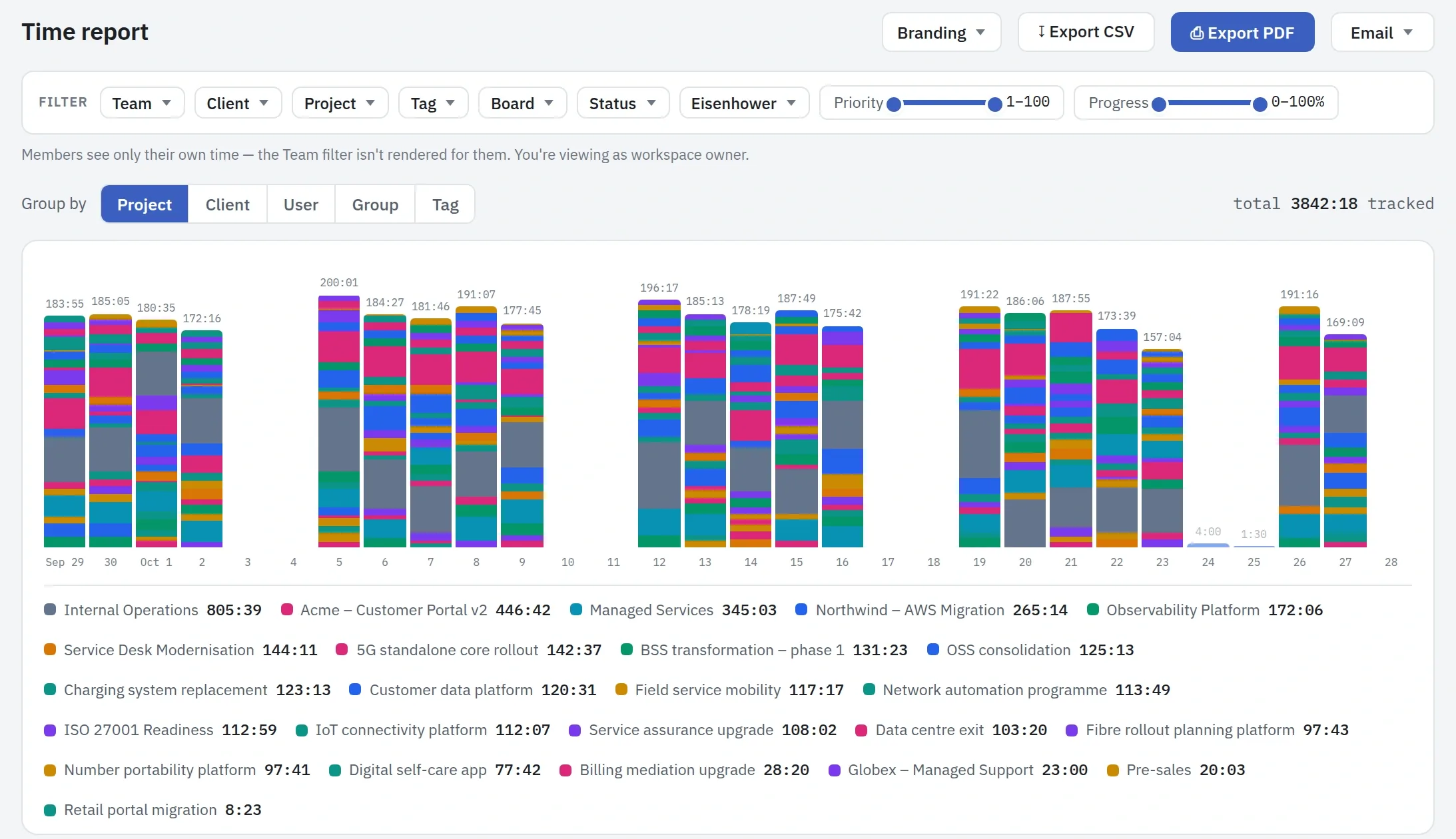
The Time report for the last 30 days, by project: the hours of each day, and the total for each project.
Ready for your IT department and your auditors.
Company sign-in
Google or Microsoft Entra ID. Lock the domain, so nobody signs in with a password.
Directory sync
Google Workspace, or Entra ID and Okta through SCIM. Leavers are switched off automatically.
Audit log
Every change with its before and after, including changes made by an AI assistant. The Owner's log keeps copies of deleted tasks.
Two-step sign-in
With an authenticator app, and an Admin can require it for everyone.
Your data
Export your whole record at any time. After cancellation, 90 days read-only, then deleted.
29 languages
Plankwork is in 29 languages, and each person picks their own.
A small company, building one thing well.
Plankwork is new, and the one thing it does is turn a company's real work into manageable tasks and projects. We build it in the open: what is coming next, and a poll where you help choose it.
One plan, every feature, priced per person per month. Client accounts are free.